
Boards and Commissions
Coordinate every board meeting alongside council.
Give boards and commissions the tools to run their meetings in the same system as council. Keep agendas, speaker sign-ups and minutes connected, while making it easier for staff to track upcoming meetings and follow up on outstanding items.

HOW IT WORKS
Keep every board’s meeting information up to date
Publish agendas and meeting notices together, so staff can keep each board’s information current without juggling separate processes. Even boards that meet only once a quarter can keep their meeting information accessible to the public and ready when residents need it.


What’s Included In
Boards and Commissions
Board staff run their own meetings on a simpler screen.
- Let each board’s staff member, like the parks or planning liaison, build its agenda and run its meeting.
- Start every board from your templates and numbering, so each agenda matches council’s format.
- See every board’s agendas and minutes alongside council’s, without having to ask anyone to send them in.
Board minutes drafted from the recording.
- Draft each board’s minutes from the meeting audio, with every motion and vote recorded.
- Edit the draft before the board adopts it at its next meeting.
- Send residents’ comments on an item to the board with the packet.
See which terms are ending across every board.
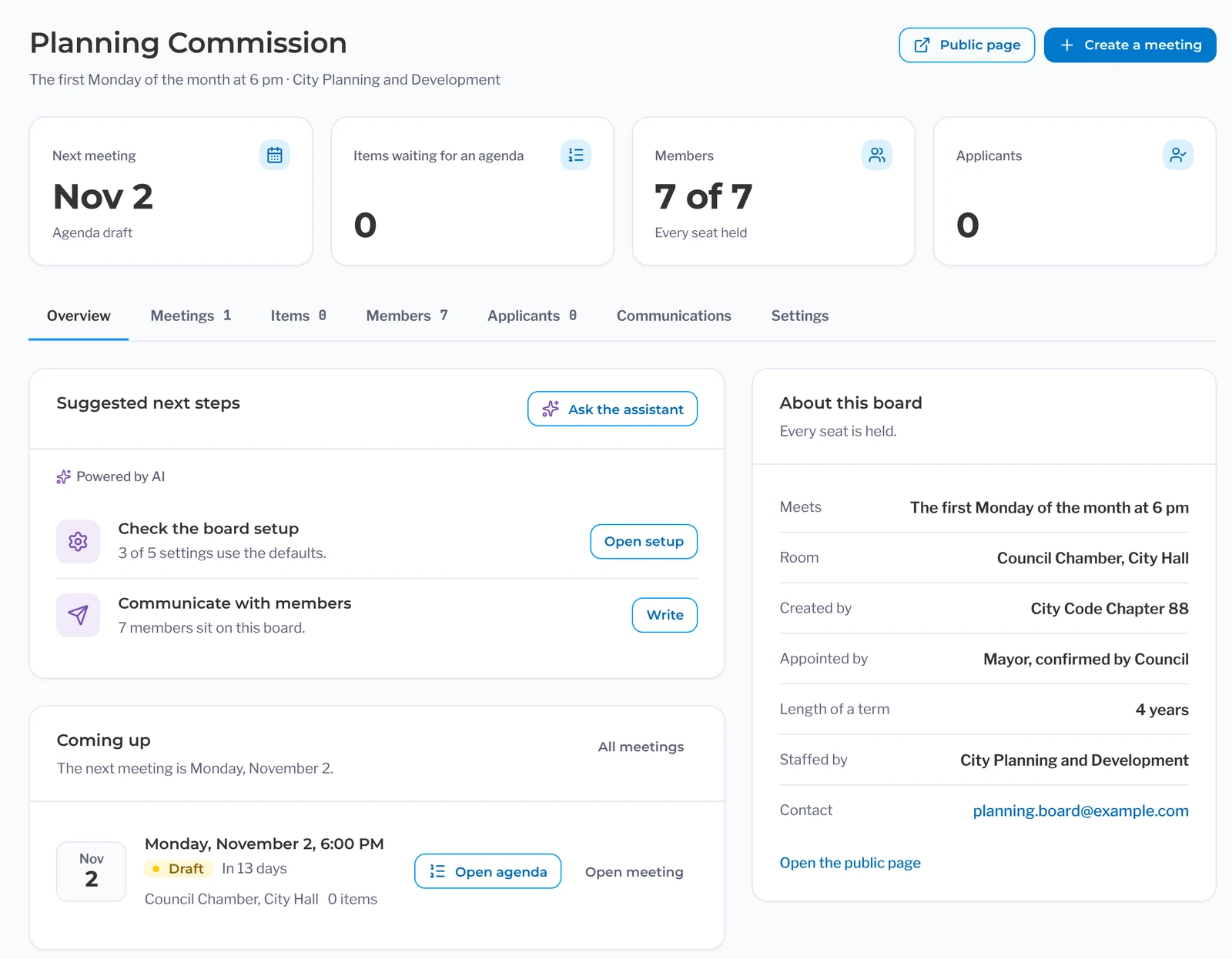
- Track every seat across all boards in one list, with who holds it and when the term ends.
- Flag open seats automatically instead of highlighting rows in a spreadsheet.
- Carry a mid-term appointee’s term to the original end date.
- Monitor each member’s required training as current, expiring or lapsed.
Residents apply from your public boards page.
- Publish a public page for each board with its members and how to apply.
- Open applications before a seat is empty, so the next appointee is ready.
- Update the public roster as soon as you make an appointment.
- Notify residents who follow a specific board when it meets or when a seat is available.
Terms, attendance and old minutes stay with the board.
- Look up past seat holders, terms and attendance right next to the agendas and minutes.
- Keep templates and past minutes in place when a board secretary leaves.
- Give each board, from a policy board to a TAC, its own calendar with the same agenda format.
Seats and terms
How a seat gets filled
- A seat opensIt shows as open on the roster on its own. No more highlighted spreadsheet rows.
- Residents applyRight from your boards page, even before the current term ends.
- You appointMake the appointment and the public roster will update.
- The term startsFilling a vacancy mid-term? The new term ends when the old one would have.
- Training is trackedSee whose required training is current, expiring or lapsed.
The PublicInput Meetings suite
Explore the rest of PublicInput Meetings
Each product works on its own or together, so you can start with what you need and add more when you’re ready.
Questions clerks ask us
Can we start with boards and add agendas later?
Yes. You can run seats, terms, applications and the public roster on their own, and add agendas when you want board meetings in the same place. See Agendas
Does every board need its own setup?
No. Each board starts with the templates and settings you already set up. If a board does things differently, you change that board’s settings and leave the rest alone.
Our board liaisons are department staff. Can they run their own meetings?
Yes. The parks or planning staff member builds the board’s agenda on a simpler screen and gets the PublicInput Action Minutes draft from the recording, the same as council. You see every board’s meetings from your screen.
We’re a COG, MPO or transit agency. Does this fit a policy board and a TAC?
Yes. Each board and committee gets its own calendar, and its agendas and minutes follow the same format every month. Committees that meet only when called still show on the public page.
What about the spreadsheet we use today?
Your members, seats and term dates come over when we set you up, so nobody retypes them. Your old board agendas and minutes come through the same tested agentic pipeline as council’s, which mirrors the original structure. Setting up your account and migrating your records typically only takes a few weeks. See how switching works
See it with your boards
Bring your board list to the demo.
We’ll show you how your boards’ agendas, seats and terms all work together in one place.