
Agenda and Meeting Notifications
Give residents timely updates on meetings and agendas.
Automatically send notifications when new agendas are available or meeting details change. Residents receive updates based on the boards, committees, and topics they follow, with direct access to the latest meeting information and materials.
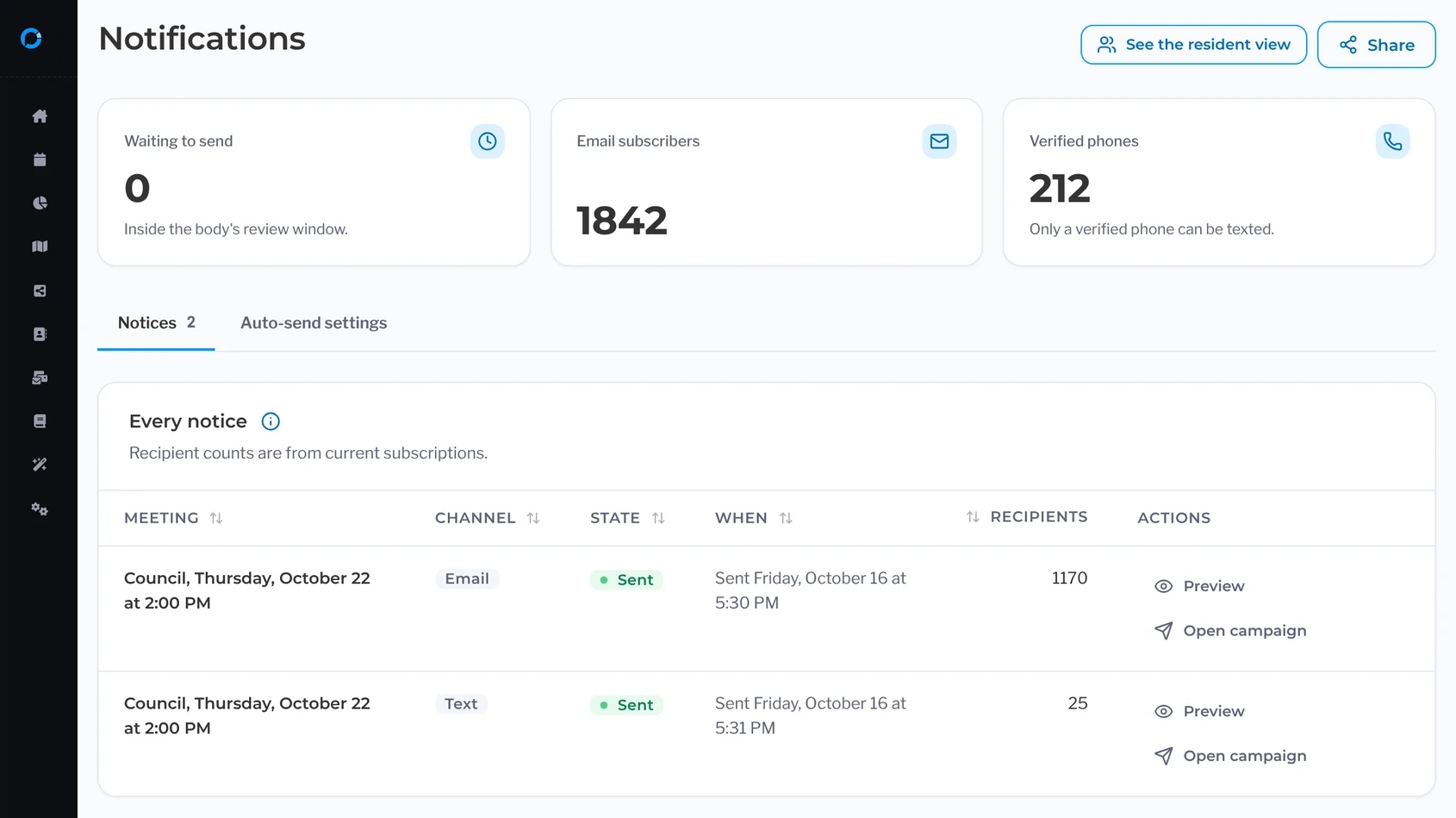
Overview
Get More Residents to the Meeting
From council agendas to committee meetings, let residents know what’s coming up and how to take part.
- Automate meeting notices when agendas become available
- Highlight relevant agenda items based on the topics residents follow
- Make participation easy with direct links to comment on agenda items or sign up to speak
- Track notification reach across channels, with a record of notices sent and delivered
What’s Included In
Agenda and Meeting Notifications
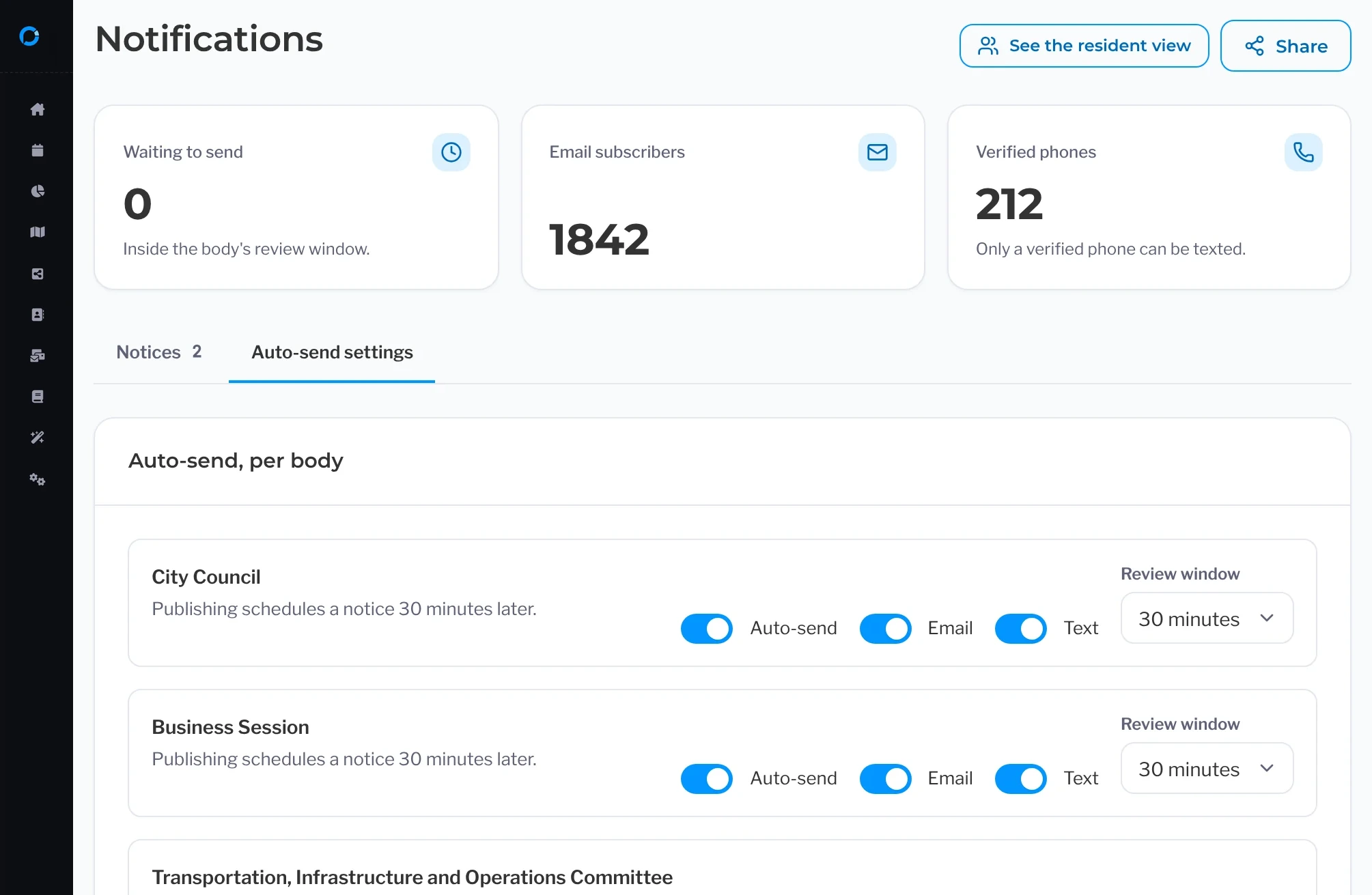
Review Window
Give staff a dedicated window to review upcoming board and committee notifications before they go out.
- Customize how much time staff have to review notifications before each board’s scheduled send.
- Check the email and text notifications, make edits, or send them early when everything is ready.
- Cancel a scheduled notification if details change or the notice needs more attention.
Boards and Topics
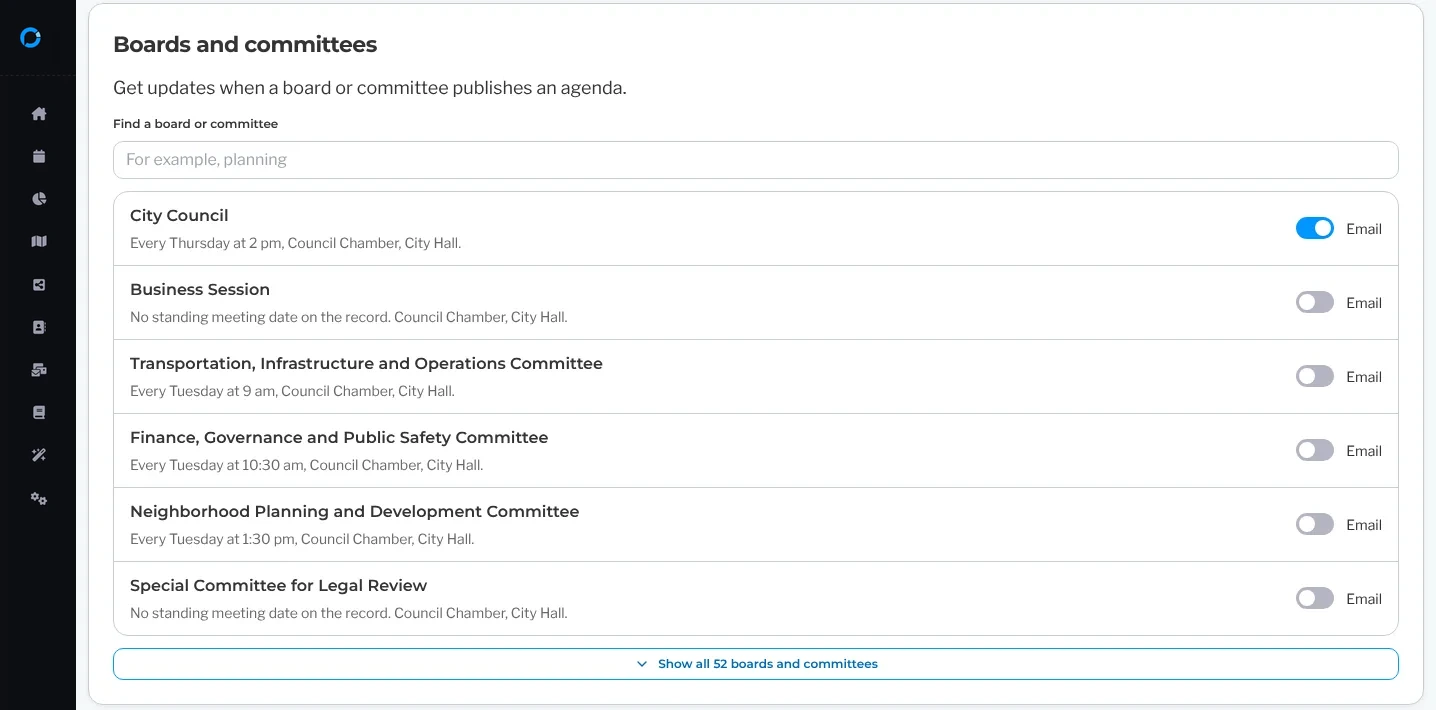
Let residents follow a topic, a board or both.
- Set up topic alerts to notify followers whenever a topic appears on an agenda.
- Add board followers to keep them informed when new agendas are published.
- Send updates by email or text, depending on each resident’s preferences.
Item Pages
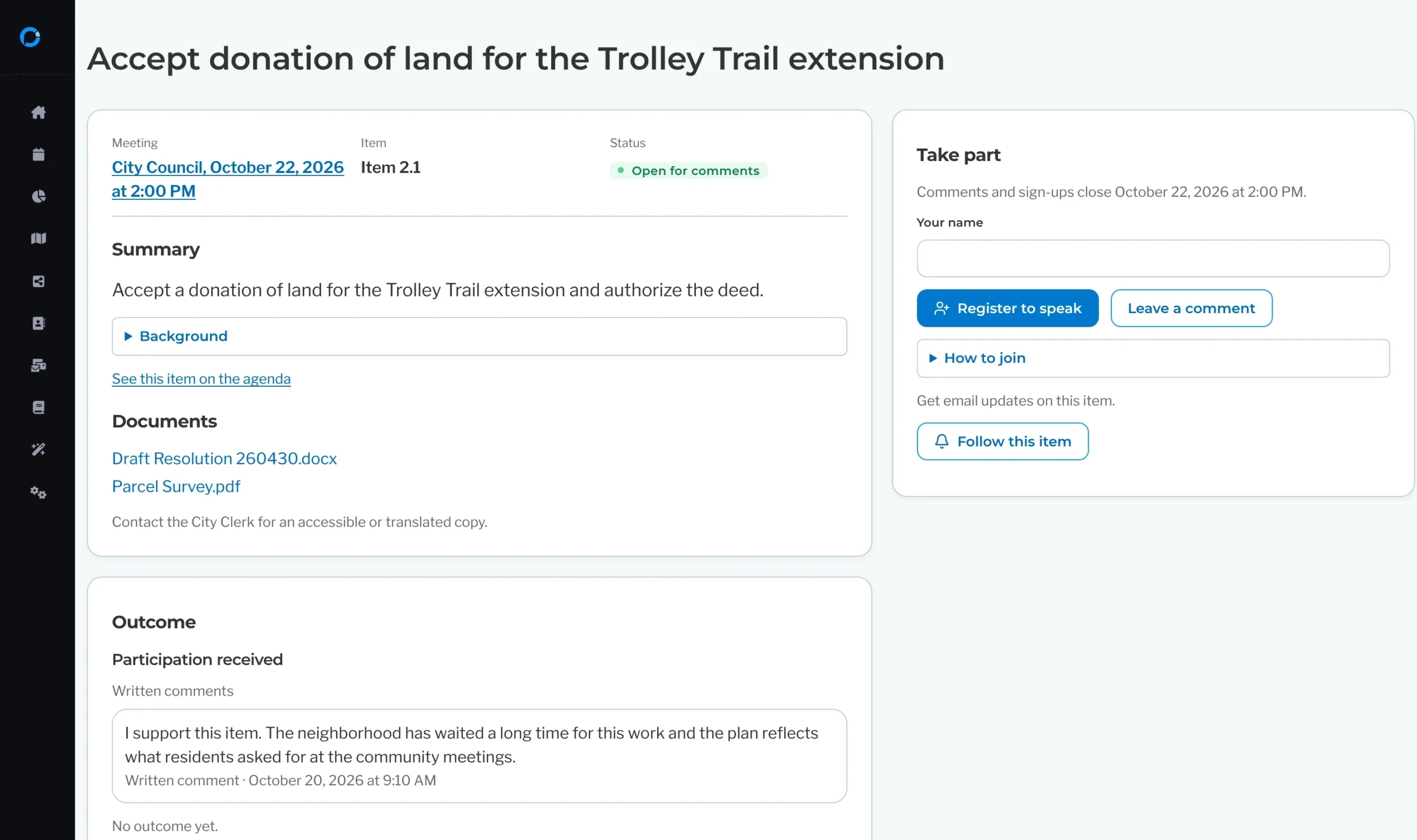
Give every agenda item its own place for public input.
Make it easy for residents to find the details they need and take action before the meeting.
- Give each agenda item its own dedicated page with relevant details and information.
- Let residents comment, sign up to speak or follow an item.
- Collect speaker sign-ups ahead of the meeting so staff can prepare in advance.

Best practice · San Antonio
Make every meeting easy to attend, in any language
San Antonio has hosted 2,600+ meetings with PublicInput. To reach working families, seniors and non-English speakers, the city offers built-in translation, hybrid access and real-time feedback, and tracks meeting attendees and emails sent on one dashboard.
Read use casesPublicInput Communications
Explore the rest of PublicInput Communications
Each product works on its own or together, so you can start with what you need and add more when you’re ready.
Questions about Agenda and Meeting Notifications
Who gets the agenda notice?
Anyone who follows that board, plus anyone following a topic that shows up on the agenda. They’ll get it by email, and by text if they’ve added a phone number.
What happens when we post a supplemental or a correction?
It goes into the same agenda, so the link your residents already have still works. You decide whether to send a new notice, and fixing a typo won’t send anything unless you pick a channel.
Will our residents need an app?
No app is needed. Your residents follow the boards or topics they care about and get agendas by email or text. The link in each notice takes them straight to the item to comment or sign up to speak.
See Meeting Notifications in action
Fill the room for your next meeting
Bring your next council agenda and we’ll publish it and send the notice during the demo.